REACTOR is a 1x12" combo amp powered by Amp Intelligence — a sound engine that builds tone the way you imagine it — from prompts, photos, and recordings. Create signal chains on demand, or build amps that don't exist anywhere else. 50W or 100W with selectable wattage for consistent tone at any volume.
YOUR
IMAGINATION
DESERVES
AN AMPLIFIER.
Amp Intelligence
A new kind of engine with over 1M tones analyzed and hundreds of amp designs studied at the circuit level. Now you can build dynamic tone from the ground up.
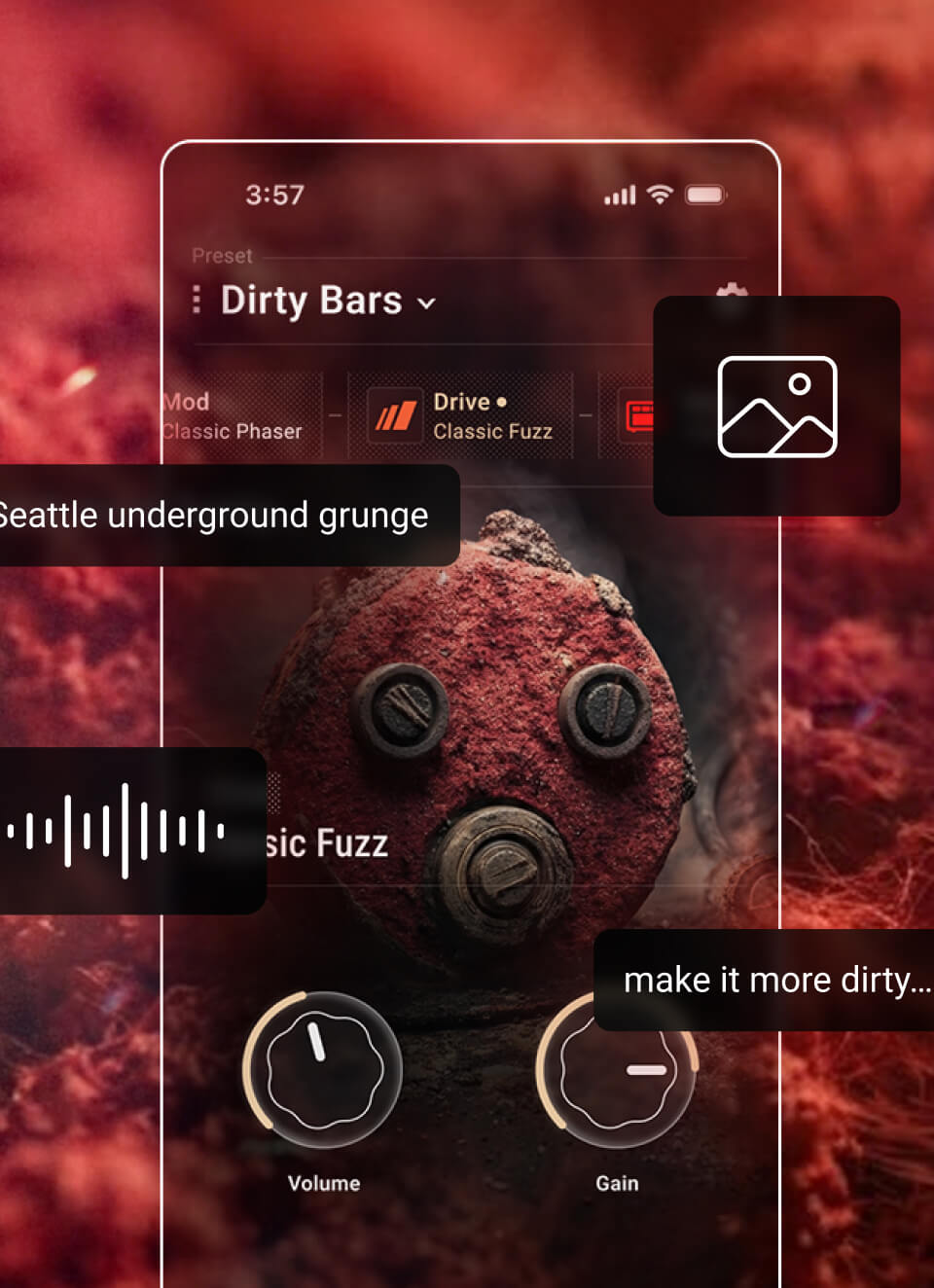
Tone Capture
Type an idea, snap a photo, or record a sound. REACTOR builds your complete tone from it in seconds.

Rig-Ready
50W and 100W models, custom 12" speaker, selectable wattage, and direct recording to any DAW.

Tone Memory
REACTOR remembers how you build tone and gets closer to your sound every time.
THE AMP
A NEW
STANDARD.
Powered by intelligence,
built with classic amp thinking.
How REACTOR
builds sound.
REACTOR's Amp Intelligence decoded over 200 amp designs at the circuit level: gain stages, transformers, bias points, harmonic response, capturing the behavioral DNA of the most legendary amps ever built. So every tone it builds is grounded in how great amps actually work. The result is tone that breathes — dynamic, alive, and responsive to every note you play. Any tone you can imagine delivered on demand.
assimilated
Instant
Control.
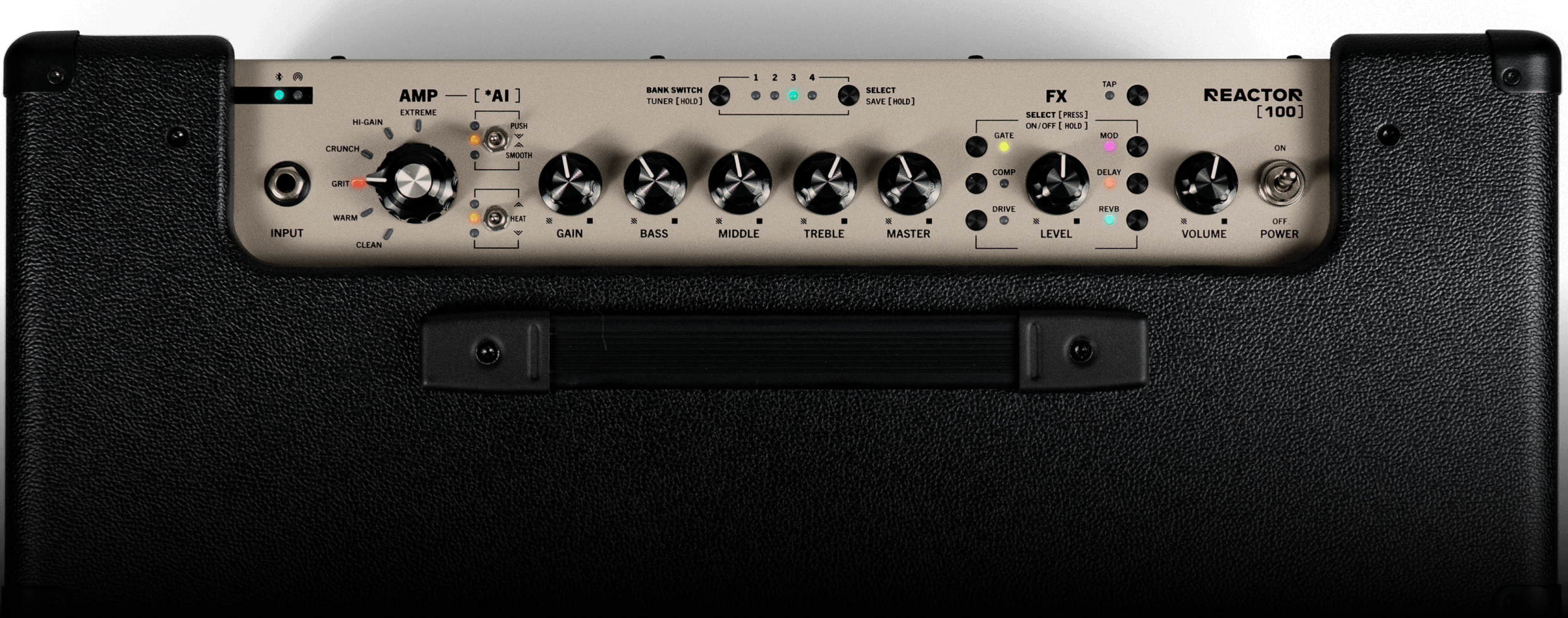
One knob puts six amp categories at your fingertips. Classic Gain, EQ, and Master controls let you shape tone instantly from the panel. Six essential effects with dedicated buttons and onboard controls for instant tweaking.
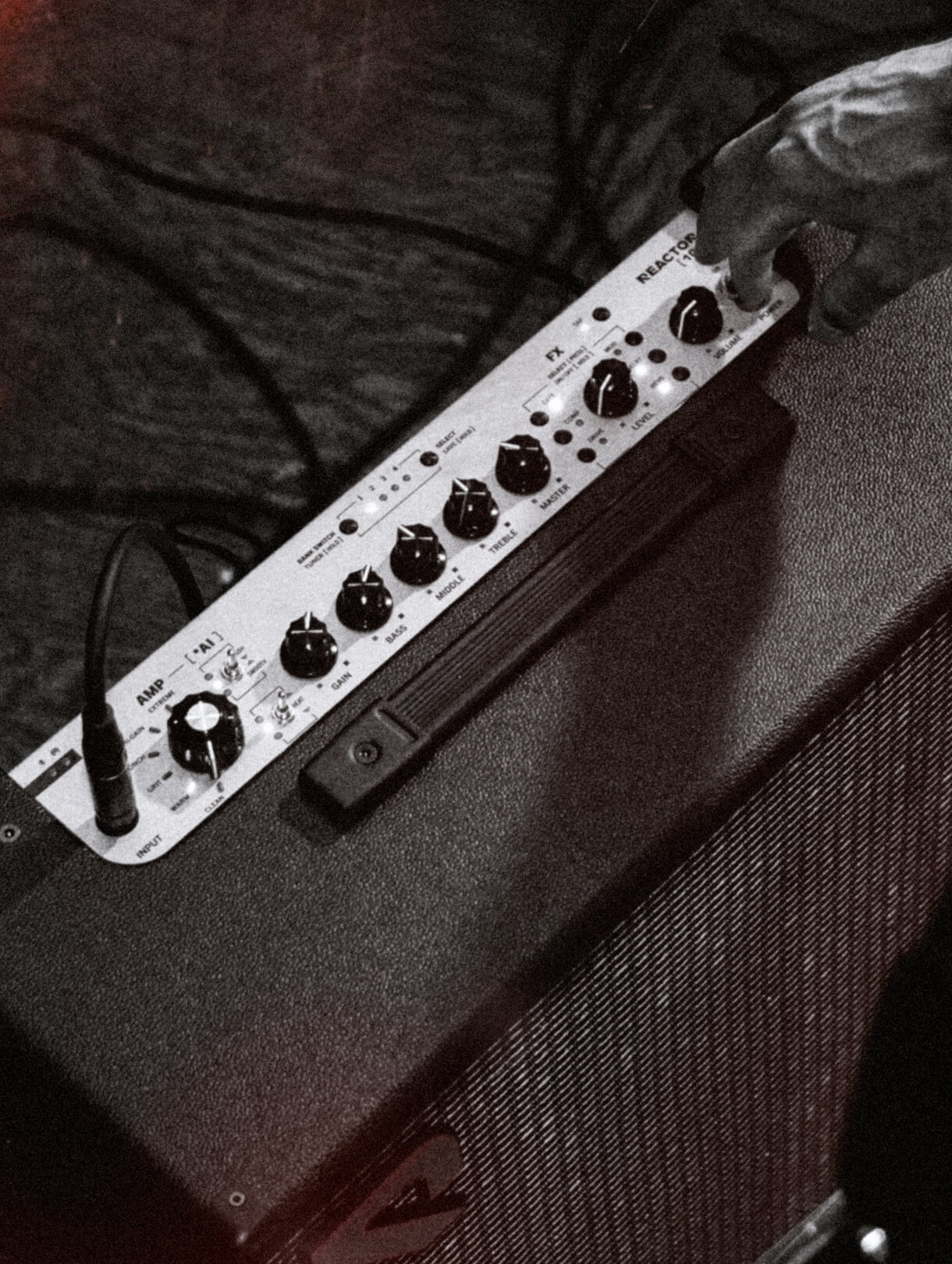
Tap into two switches you won't find on any other amp. Push/Smooth takes you from laid-back rhythm to cutting lead without touching distortion. Heat +/- adjusts feel and harmonics without significantly changing volume.
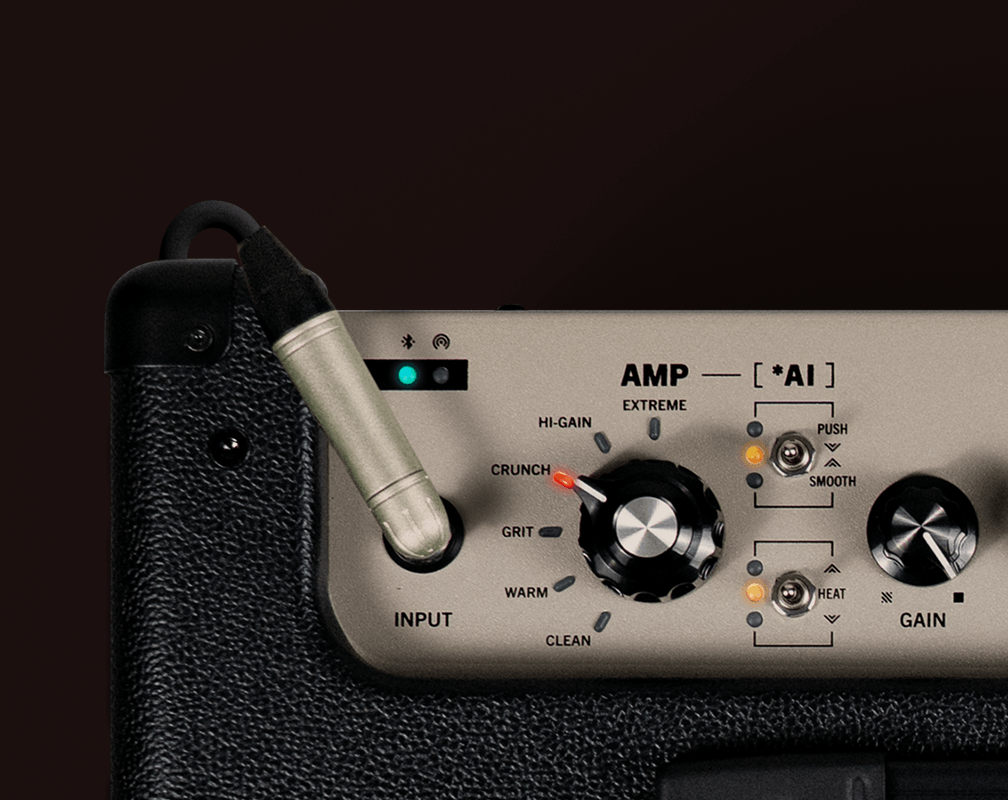
Stage tone at any volume.
Most amps thin out when you turn them down. REACTOR doesn't. Selectable wattage — 1W, 25W, or full power — keeps the tone full and present at any volume. A custom 12″ speaker in a wood cabinet delivers the warmth and presence you'd expect at stage volume, even in your bedroom. REACTOR sounds like itself wherever you play it.
Creator Hub
Describe
What
You
Want.
REACTOR delivers it—
full, rich, and dynamic.
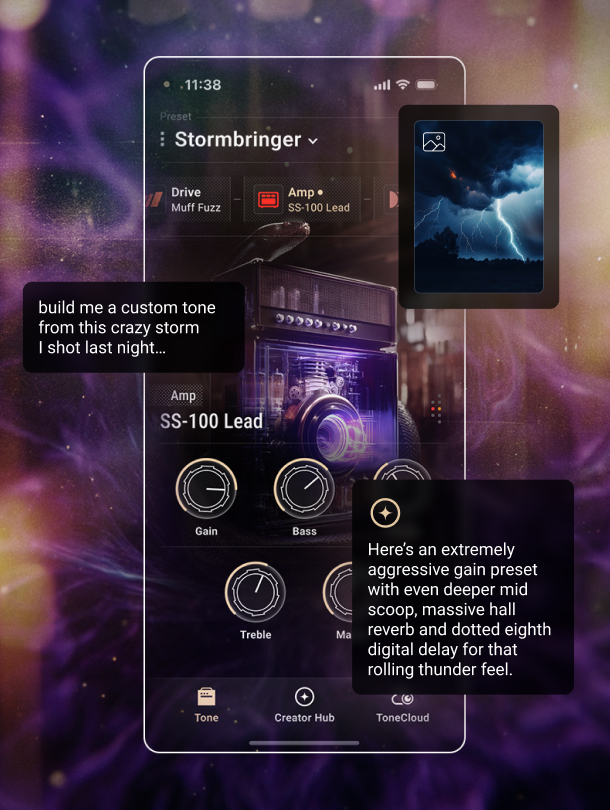
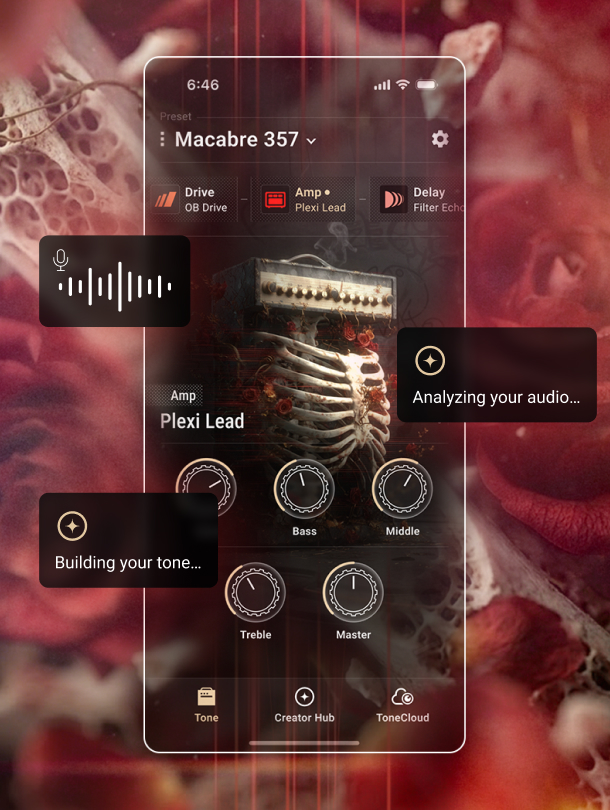
Powered by Amp Intelligence, Creator Hub's Tone Capture gives you three ways to build tone — using text prompts, images and audio. Start with your go-to favorites, or build something entirely new.
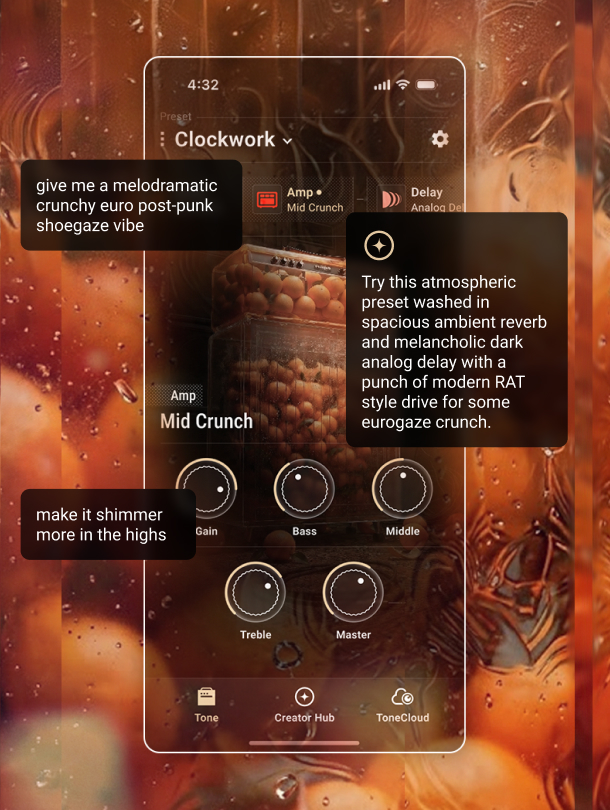
Describe an amp, an artist, or a sound in your own words. Amp Intelligence figures out the signal chain and makes it playable.
See an amp, a pedalboard, or a setup you want to try — or anything that inspires a sound. Snap it. Amp Intelligence turns any photo into a matching tone.
Upload a track or record a sound. Amp Intelligence analyzes the source and builds a guitar tone to match, so the tone you hear in the recording is ready to play in seconds.
Build your
own amps.
Go further than matching existing gear. Combine characteristics, shape deep parameters, and create original amp voices that are entirely your own. Name them, save them, and share them on ToneCloud®.
Tone
Memory
REACTOR remembers your prompts, inputs, adjustments, and settings. Every time you create, it starts closer to where you want to be.
REACTOR APP
WHERE
TONE
GETS
CREATED.
Customize tone in real time.
Amps
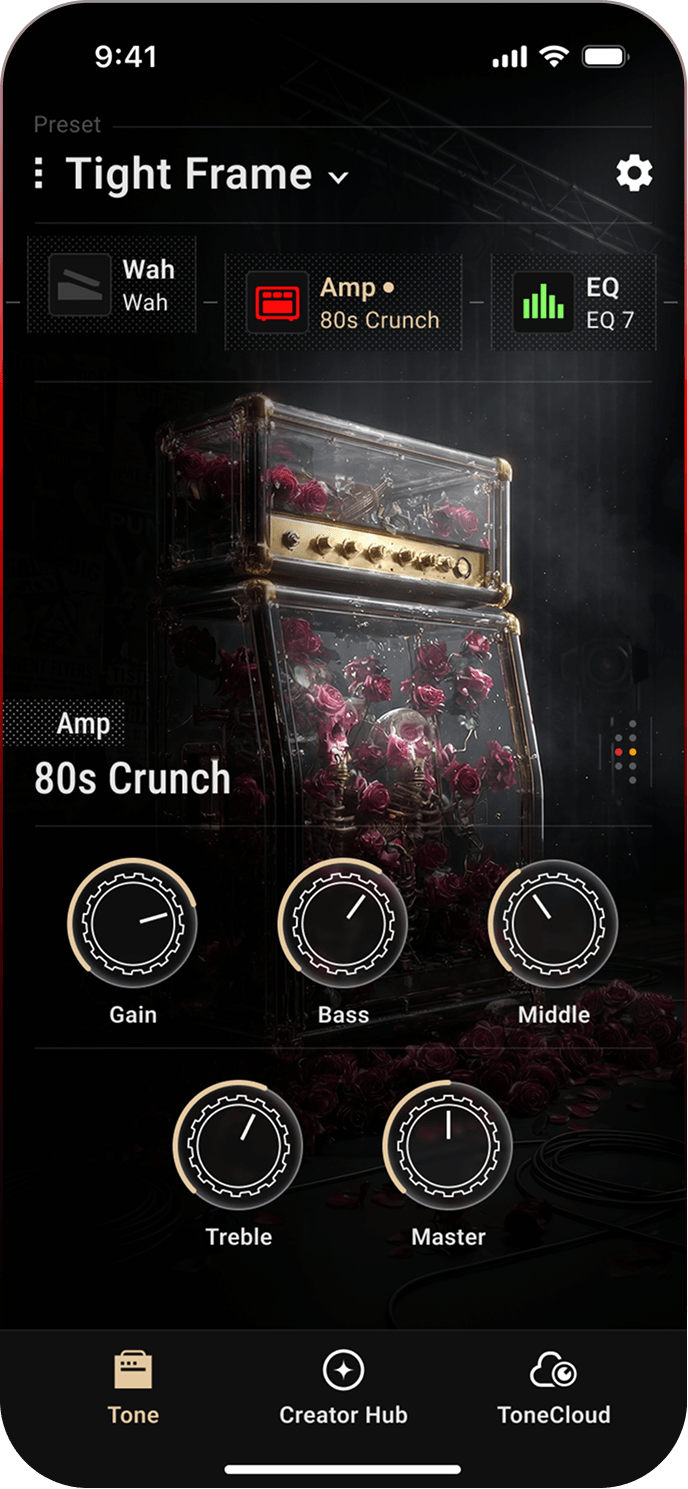
24 amp models to start. Build as many of your own as you want. Full parameter access to adjust gain structure, EQ, bias, and voicing on any of them.
Effects
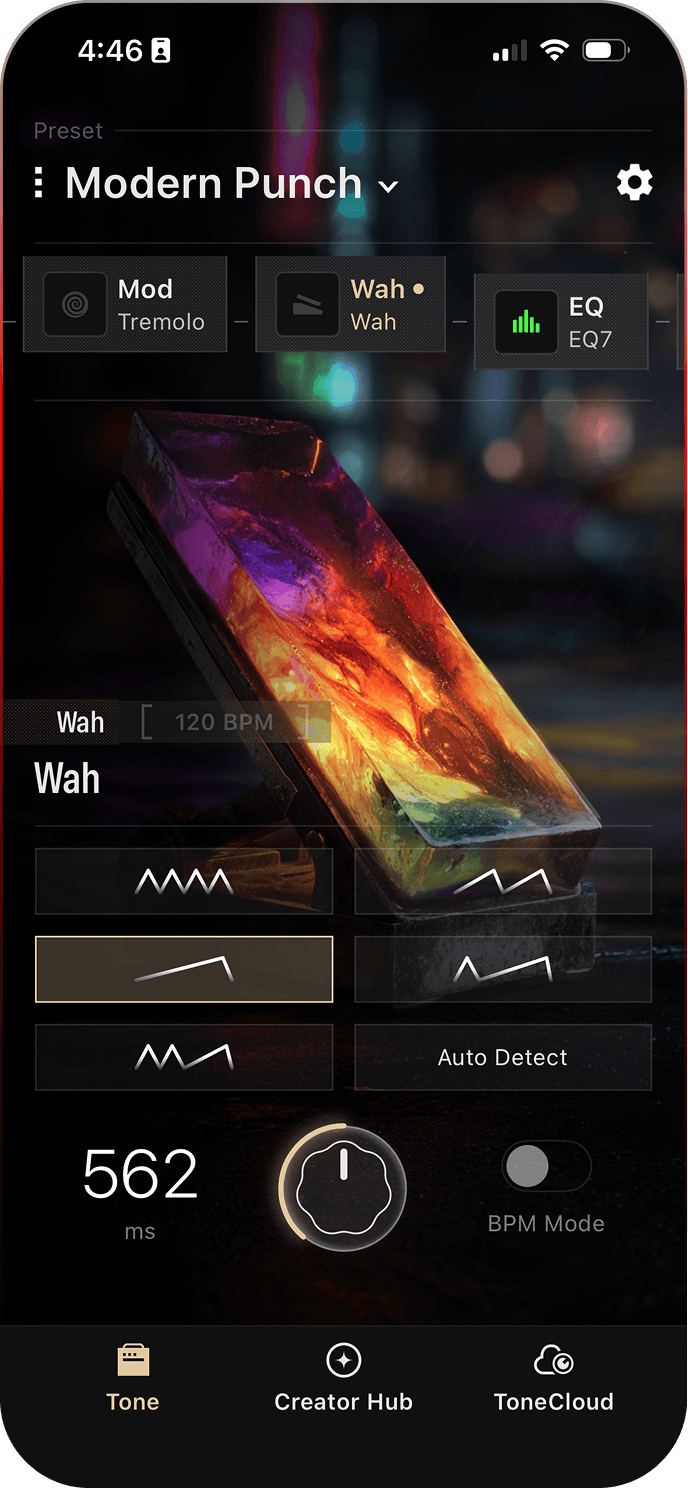
Run eight simultaneous effect slots with full parameter control across Gate, Compressor, Drive, Modulation, Delay, Reverb, Wah and EQ. Insert the FX loop anywhere in the signal chain.
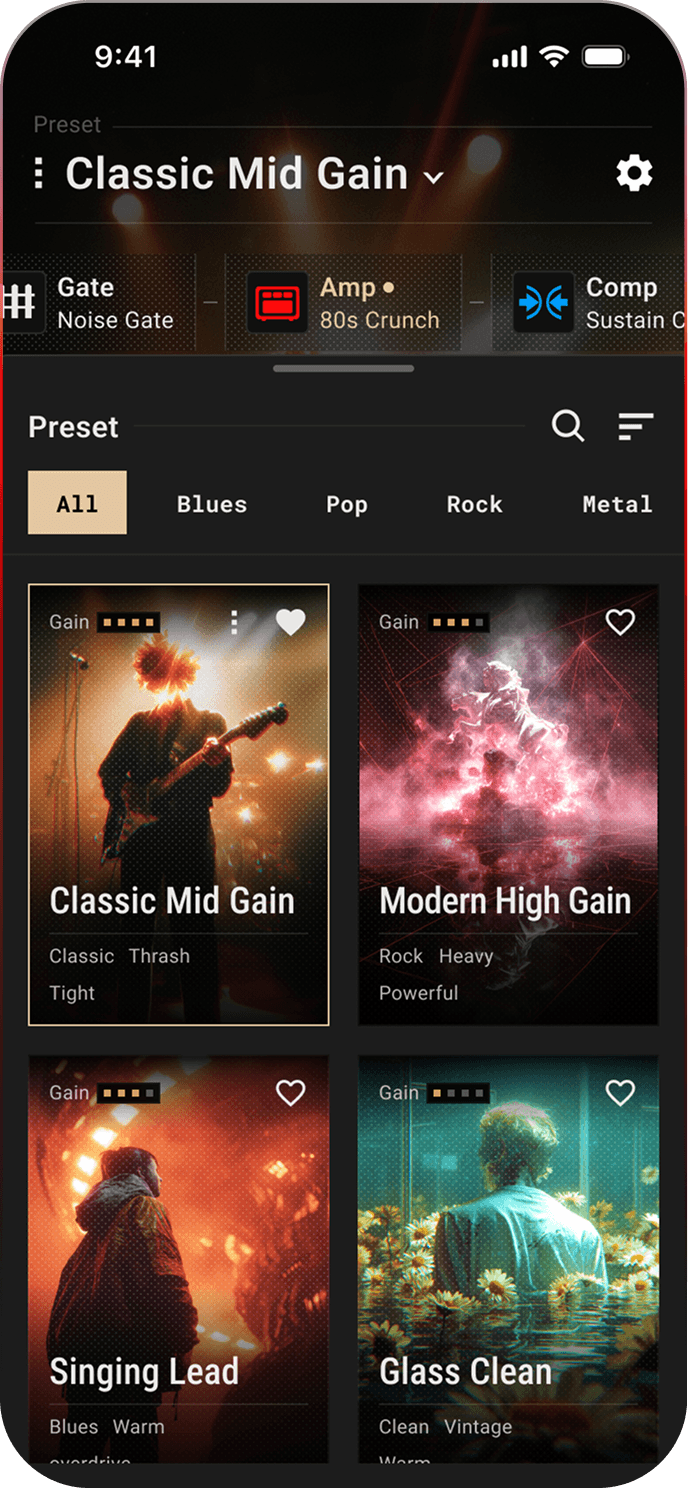
Presets
Save unlimited presets by song, session, or genre in the app. Load and access 8 onboard preset slots for instant recall directly from the amp panel.
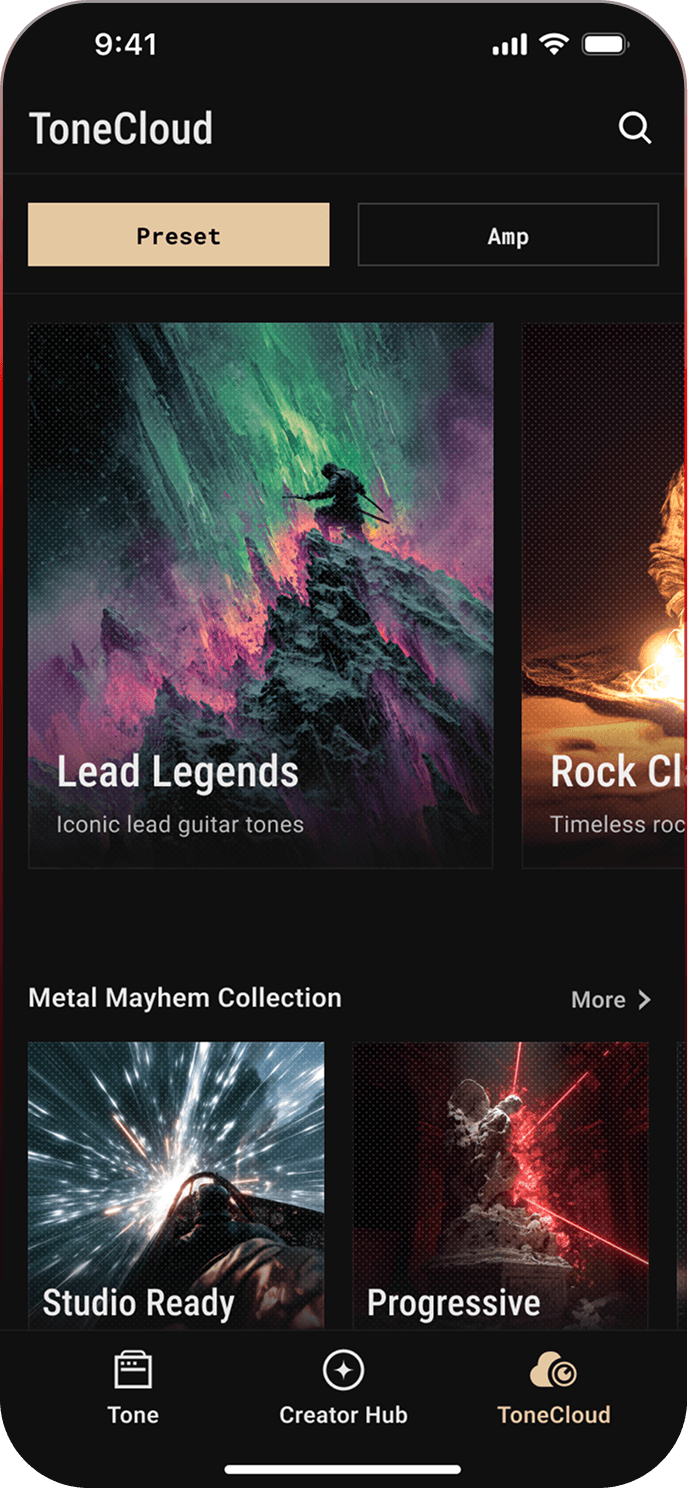
ToneCloud®
Browse and download tones and custom amps from other players, then share your own with the community.
Signal Path
Drag effects anywhere in the signal chain and insert external pedals through the FX loop at any point. Every routing change is immediate and audible.


Download the App


Complete Rig
Built to fit your setup.
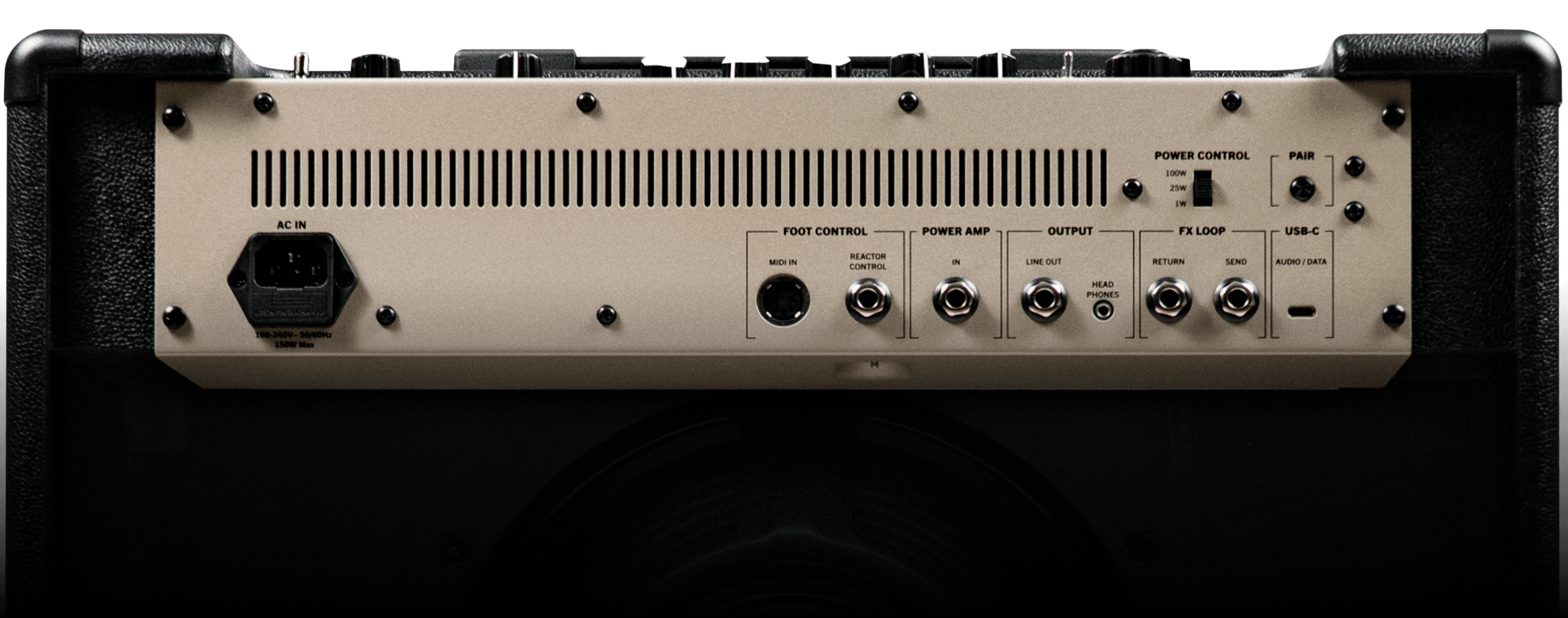

USB-C Direct Recording

Bluetooth Audio

FX Loop

Line Out + Cab Simulation

MIDI In

Headphone Out

Power Amp In

Selectable Wattage

8 Onboard Presets

Built-in Tuner

Wi-Fi + OTA Updates

REACTOR Control
Compatible
Choose
Your Fit.
REACTOR
CONTROL*
The official footswitch for REACTOR. Six footswitches, expression pedal input, and wireless or wired connection give you hands-free control over presets and effects on stage.
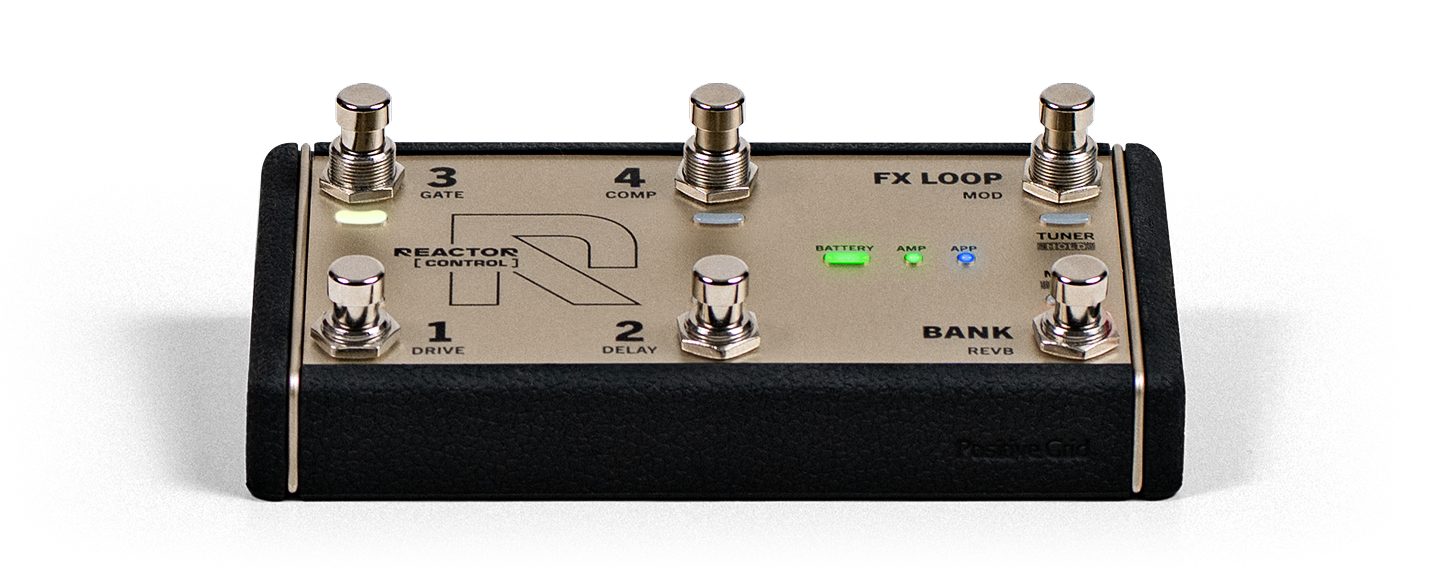
*REACTOR CONTROL is optional and sold separately.
Experience
Real players.
Real tone.
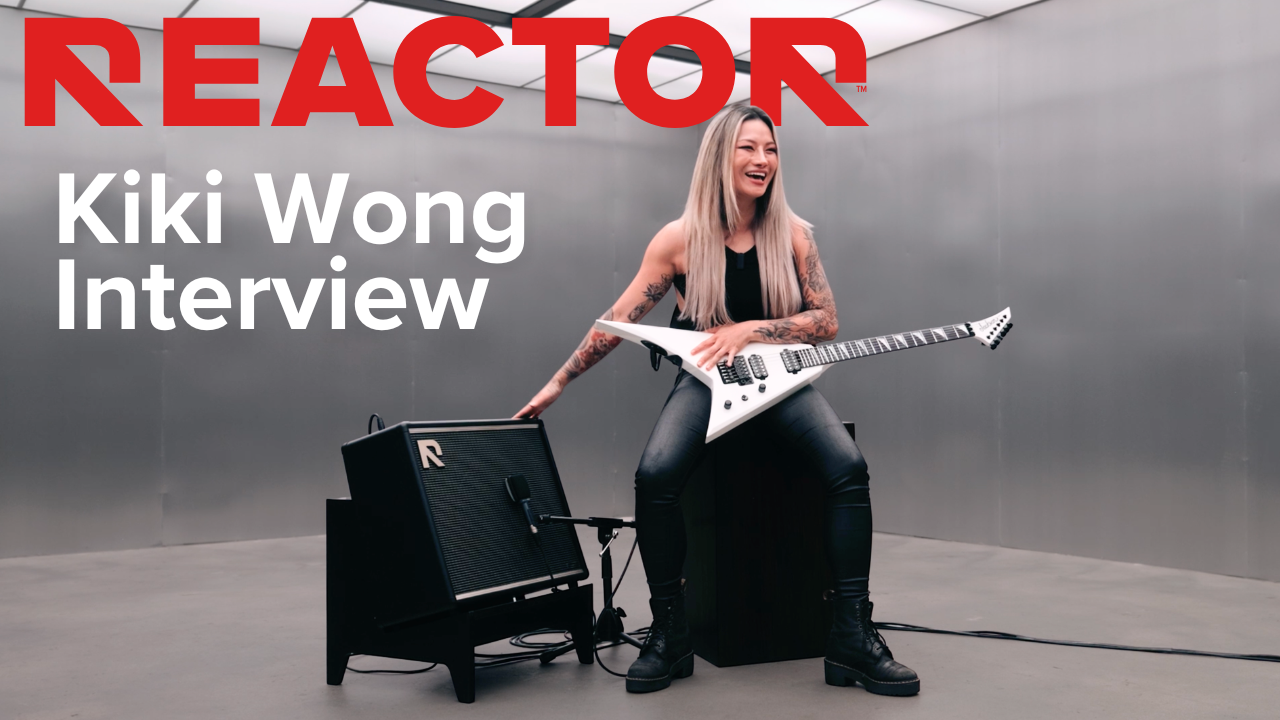
Kiki asks for a sound and builds it instantly. The amp, the effects, and the signal chain are ready to play in seconds.

Guitarist Kiki Wong takes REACTOR for a spin — Positive Grid's most powerful amp yet, built to put any sound you can imagine within reach.
Real
reactions
Watch real players try REACTOR for the first time and hear what changes when tone creation happens this fast.


Critics
agree
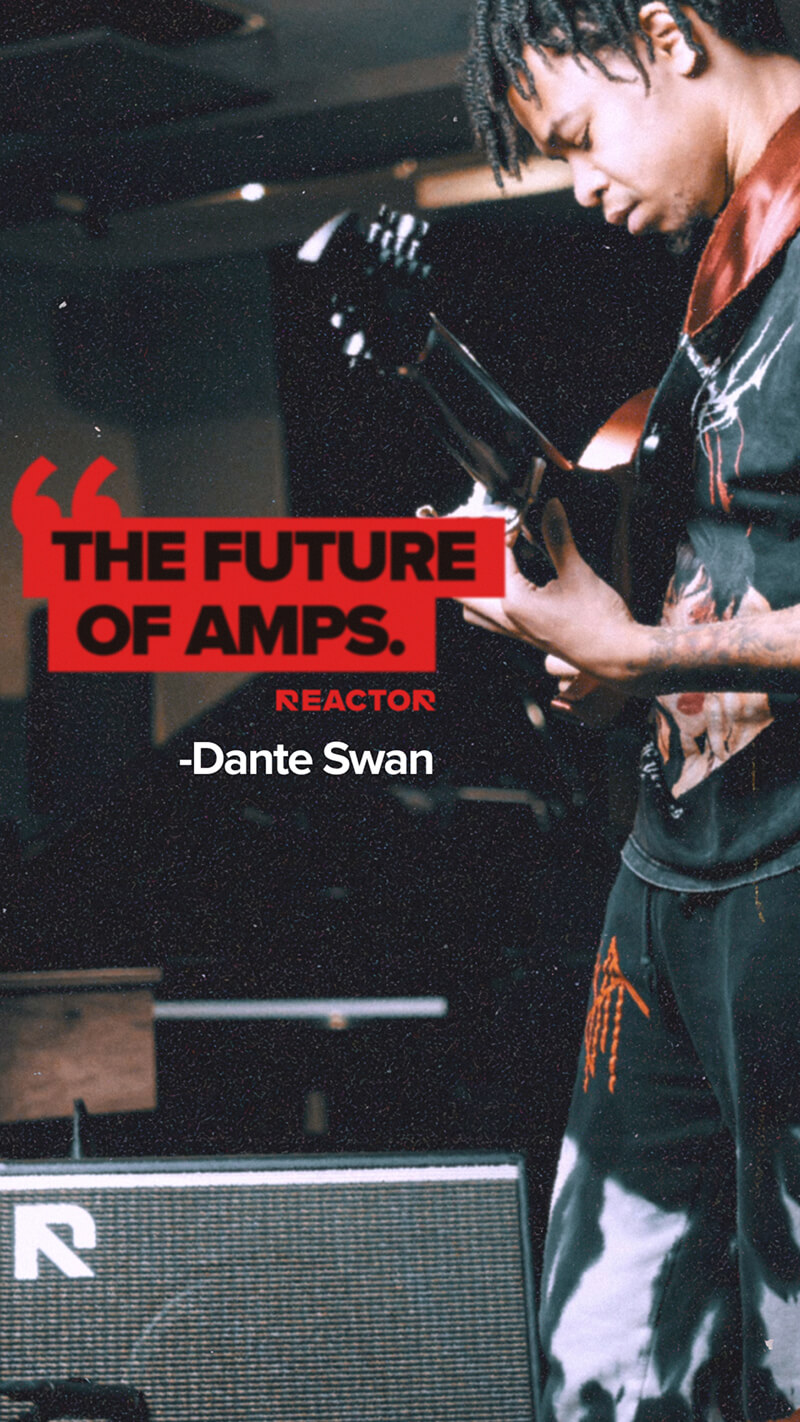
Don't just take our word for it — see what the critics are saying about REACTOR.
…there's a ton of great tones in this box, everything from sparkling cleans to gnarly high-gain dirt, all with that familiar Positive Grid polish. The high-gain models in particular are absolute standouts, keeping up with the best of the digital crowd.

…an impressive and serious new contender in the affordable gigging amp world.

It's lightweight yet solid, and because of the power level you could easily rehearse and gig with this thing. I'd have no hesitation taking this on the road, and wouldn't fret over its safety.

Product walkthrough
See the amp, the app, and the controls in one guided walkthrough built for players comparing their next amp.

Specs
Power Amp Rating — REACTOR 50
50W
Power Amp Rating — REACTOR 100
100W
Power Control — REACTOR 50
50W / 25W / 1W
Power Control — REACTOR 100
100W / 25W / 1W
Speaker — REACTOR 50
1 x 12" custom speaker, 4Ω
Speaker — REACTOR 100
1 x 12" custom speaker, 8Ω
Main Input Power
AC 100–240V, 50/60Hz
Top Panel Controls
Power switch, Volume knob Preset Selector button, Bank Switch/Tuner button Amp Selector knob, Push/Smooth switch, Heat switch Amp Control knobs (Gain, Bass, Mid, Treble, Master) FX Level knob, FX ON/OFF buttons (GATE, MOD, COMP, DELAY, DRIVE, REVB), TAP button
Rear Panel Controls
Bluetooth Pair button Power Control switch
Onboard Presets
8 Fully Customizable Presets On The Amp
Onboard Tuner
Guitar Tuner With LED Display
Amps & Effects
24 Factory Amp Models (For electric guitar) 27 Effects (Noise Gate, Compressor, Distortion, Wah, Modulation, EQ, Delay, Reverb) Choose up to 8 effects, 1 FX Loop, and 1 amp model in the signal chain for each preset
Wired Connectivity
1/4" Guitar Input x 1 1/4" Power Amp Input x 1 1/4" REACTOR Control Input x 1 1/8" Headphone Output x 1 1/4" Line Output (Mono) x 1 1/4" FX Loop Send 1/4" FX Loop Return DIN 5-pin MIDI Input x 1
Wireless Connectivity
Bluetooth 5.0
USB Audio
USB audio interface for recording (macOS and Windows compatible) 1 In × 2 Out 24-bit / 48 kHz sample rate
Box Contents
REACTOR 50/100 Amplifier (depending on the model) AC Power Cord Quick Start Guide Safety Instructions Card
Dimensions — REACTOR 50
18.11 x 9.45 x 16.46 inches (460 x 240 x 418 mm)
Dimensions — REACTOR 100
20.87 x 9.88 x 18.5 inches (530 x 251 x 470 mm)
Weight — REACTOR 50
10.7 kg / 23.59 lb
Weight — REACTOR 100
13.9 kg / 30.64 lb
Grille Cloth
Custom Black/Silver
Mobile Apps
REACTOR App for iOS and Android
REACTOR App Core Features
Deep Amp & Effects Editing and Preset Management Tone & Amp Creation from Text, Audio, or Images ToneCloud® for Sharing & Downloading Presets & Amps Dynamic Tone Personalization Tuner 24 Factory Amps, 27 Effects & 24 Factory Presets
Accessories
REACTOR Control
FAQ
What makes REACTOR different from other amps?
Traditional amps are built around presets and manual controls. To find a sound, you typically scroll through preset libraries or adjust multiple knobs — gain, EQ, effects — until you get something close. This process can take time and often involves trial and error.
REACTOR changes that workflow, but also the overall experience of using an amp. Instead of starting from presets, it starts from your input. Using Amp Intelligence, you can describe a sound (Text to Tone), play a reference (Audio to Tone), or use an image (Image to Tone), and REACTOR generates a complete amp and effects setup instantly.
At the same time, REACTOR is designed as a full performance-ready amp — not just an app experience. It combines:
• A real amplifier platform with 50W or 100W power and a custom 12" speaker
• Responsive playing feel and dynamics designed for home, studio, and stage
• Intuitive top-panel controls for immediate adjustments without needing the app
• Flexible I/O, FX loop, MIDI, and foot control support for real-world setups
The result is a different kind of experience: not just finding tones faster, but having an amp that adapts to how you want to create, play, and perform.
Who is REACTOR for?
REACTOR is designed for players who want fast, expressive tone creation — whether at home, in the studio, or on stage.
How many versions of REACTOR are available?
Two versions:
• REACTOR 50 (50W)
• REACTOR 100 (100W)
What's the difference between REACTOR 50 and REACTOR 100?
• REACTOR 50 → 50W output, 4 ohm speaker
• REACTOR 100 → 100W output, 8 ohm speaker
The main difference is power and headroom for different environments. Both deliver more than enough volume for practice and live performance.
Which REACTOR should I get?
Both REACTOR 50 and REACTOR 100 are powerful enough for most playing situations, including rehearsal and live use.
REACTOR 50 is more compact and ideal for home, studio, and smaller spaces, while still delivering plenty of volume when needed.
REACTOR 100 provides additional headroom and output, making it better suited for louder environments, clean tones at higher volumes, and larger stages.
If you don't need maximum volume or headroom, REACTOR 50 will cover most use cases. If you want more power and flexibility for bigger setups, REACTOR 100 is the better choice.
Is REACTOR available worldwide?
Availability varies by region. Check Positive Grid's website or authorized retailers.
How does REACTOR create tones?
REACTOR creates tones by turning your input into a complete amp and effects setup you can play immediately.
You start by providing an input — for example:
• Describing a sound (Text to Tone)
• Playing or uploading audio (Audio to Tone)
• Using an image (Image to Tone)
REACTOR then analyzes that input and generates an amp configuration (gain structure, EQ, response, feel), a matching effects chain, and an optimized signal chain — all in seconds.
From there, you can refine the tone by describing changes or adjusting controls manually. You can also explore REACTOR's full gear library, build your own signal chains, and save or share them.
How does Text to Tone work?
You describe the sound you want in natural language — for example, "warm blues with edge," "tight modern rhythm," or "ambient clean with long reverb" — and REACTOR turns that description into a complete, playable tone.
It interprets your input and generates an amp configuration and effects chain to match — including gain, EQ, and effects like drive, modulation, delay, and reverb — so you can hear the result immediately.
You don't need to think in terms of amp models or technical settings. You can describe tone the way you hear it, and then refine it further if needed — for example, "less bass," "more gain," or "brighter."
How does Audio to Tone work?
You can take a sound you like — from a song, a recording, or anything you're listening to — and turn it into something you can play.
REACTOR listens to the audio and analyzes the guitar tone — how much gain it has, how it's shaped, and what effects are being used. It then builds a matching amp and effects setup and loads it instantly, so you can start playing that type of sound right away.
For example, if you hear a tone in a song and think "that's exactly what I want," you don't have to guess how to build it — REACTOR gives you a playable version in seconds, which you can then refine to fit your own style.
How does Image to Tone work?
You can start from a visual idea instead of a sound. Take or upload a photo — a pedalboard, an amp setup, a stage, or even something more abstract — and REACTOR turns it into a playable tone.
It analyzes the visual elements and translates them into an amp and effects setup, so you can hear how that image might sound. You can then refine the result into your own sound.
Can I refine tones?
Yes. Once a tone is created, you can keep shaping it without starting over.
You can describe what you want to change — for example, "more gain," "less bass," or "brighter" — and REACTOR updates the existing tone while preserving its character. You can also fine-tune it manually using amp and effect controls.
This makes refinement feel like a continuous process, where you can quickly move closer to the sound you have in mind instead of rebuilding it step by step.
What are Push, Smooth, and Heat?
Push, Smooth, and Heat are intelligent tone mod controls on the top panel powered by REACTOR's Amp Intelligence. Instead of adjusting individual parameters, they shape your sound based on the tone you're using:
• Push (up): brings your tone forward with more bite and presence — perfect for cutting through a mix
• Smooth (down): softens the attack for a more laid-back feel
• Heat (5-stage toggle): fine-tune the feel without significantly affecting volume. Crank up the heat for a faster, tighter attack with richer harmonics, or dial it down for a smoother, more elastic feel that stays connected to your fingers.
Because they adapt to the current tone, each control responds differently depending on the sound you've created — giving you fast, musical results without detailed tweaking.
Can I still fine-tune tones?
Yes. You can use onboard controls or the app for deeper editing.
Can I create custom amps?
Yes. REACTOR allows you to create your own amp configurations instead of relying only on fixed models. You can generate an amp from an idea using Text to Tone, Audio to Tone, or Image to Tone, then refine it by adjusting gain structure, EQ, and feel. You can combine it with your preferred effects chain and save the result as a custom amp or preset — and share it on ToneCloud®.
What does the REACTOR app do?
The REACTOR app is where you create, control, and refine your sound. It allows you to:
• Create tones using Text to Tone, Audio to Tone, and Image to Tone
• Access a full library of factory amps & effects
• Adjust your amp and effects in detail
• Build and reorder your signal chain
• Manage and save presets and custom amps
• Access and share tones on ToneCloud®
• Use built-in tools like the tuner
It gives you full control over your sound, from quick ideas to detailed adjustments.
Does REACTOR have ToneCloud®?
Yes. You can browse, download, and share tones with the community.
Can I use REACTOR for live performance?
Yes. It's designed for home, studio, and stage.
Can I use headphones?
Yes. REACTOR includes a headphone output for silent practice.
Can I play at low volume?
Yes. REACTOR includes selectable power levels, including a 1W mode, so you can play at home-friendly volumes without sacrificing tone. The amp is designed to maintain the same character, response, and feel across power settings, so your sound stays consistent whether you're playing quietly or at full volume.
Is REACTOR compatible with Spark?
No. It is a separate product line.
Can I use external pedals?
Yes. REACTOR includes an FX loop, so you can integrate external pedals directly into your signal chain.
For performance control, REACTOR also supports REACTOR Control, a dedicated foot controller that lets you switch presets and toggle effects hands-free.
Does REACTOR have a looper?
No. REACTOR does not include a built-in looper in the amp or app. It is designed around tone creation and performance. If needed, you can use an external looper pedal via the FX loop.
Does REACTOR support MIDI?
Yes. REACTOR supports MIDI in.
Does REACTOR support a footswitch?
Yes. REACTOR supports REACTOR Control, with both wired and wireless operation.
Videos
REACTOR Commercial
REACTOR Walkthrough
REACTOR - Overview
REACTOR - Heat & Push/Smooth Switches
REACTOR - Tone Page & Tone Cloud
REACTOR Walkthrough - Creator Hub
REACTOR - App Overview